01
03
05
User Profile settigs
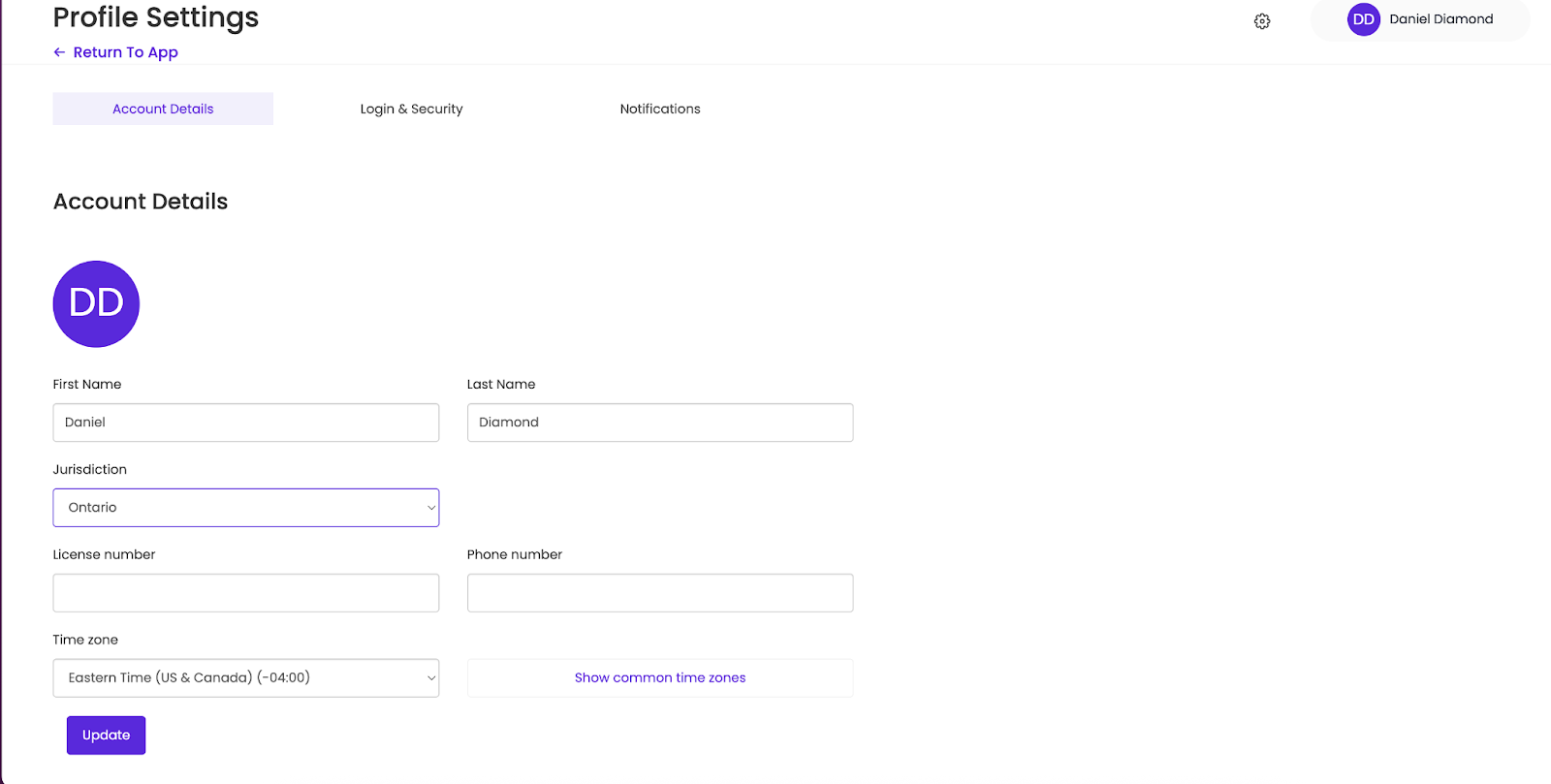
Your user profile allows you to view your account details (name, default jurisdiction, time zone), and edit your login and security options.
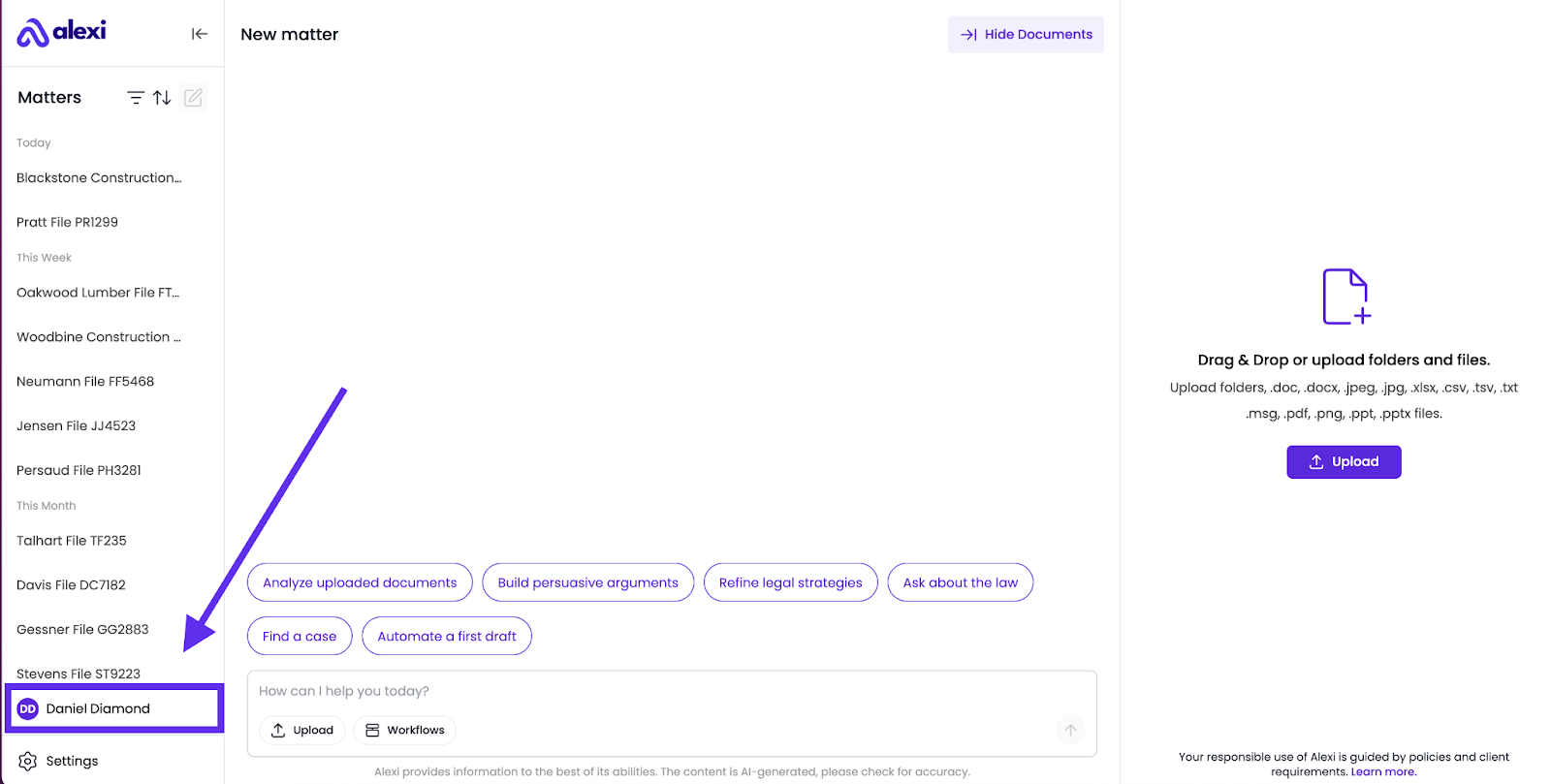
To access your User Profile:
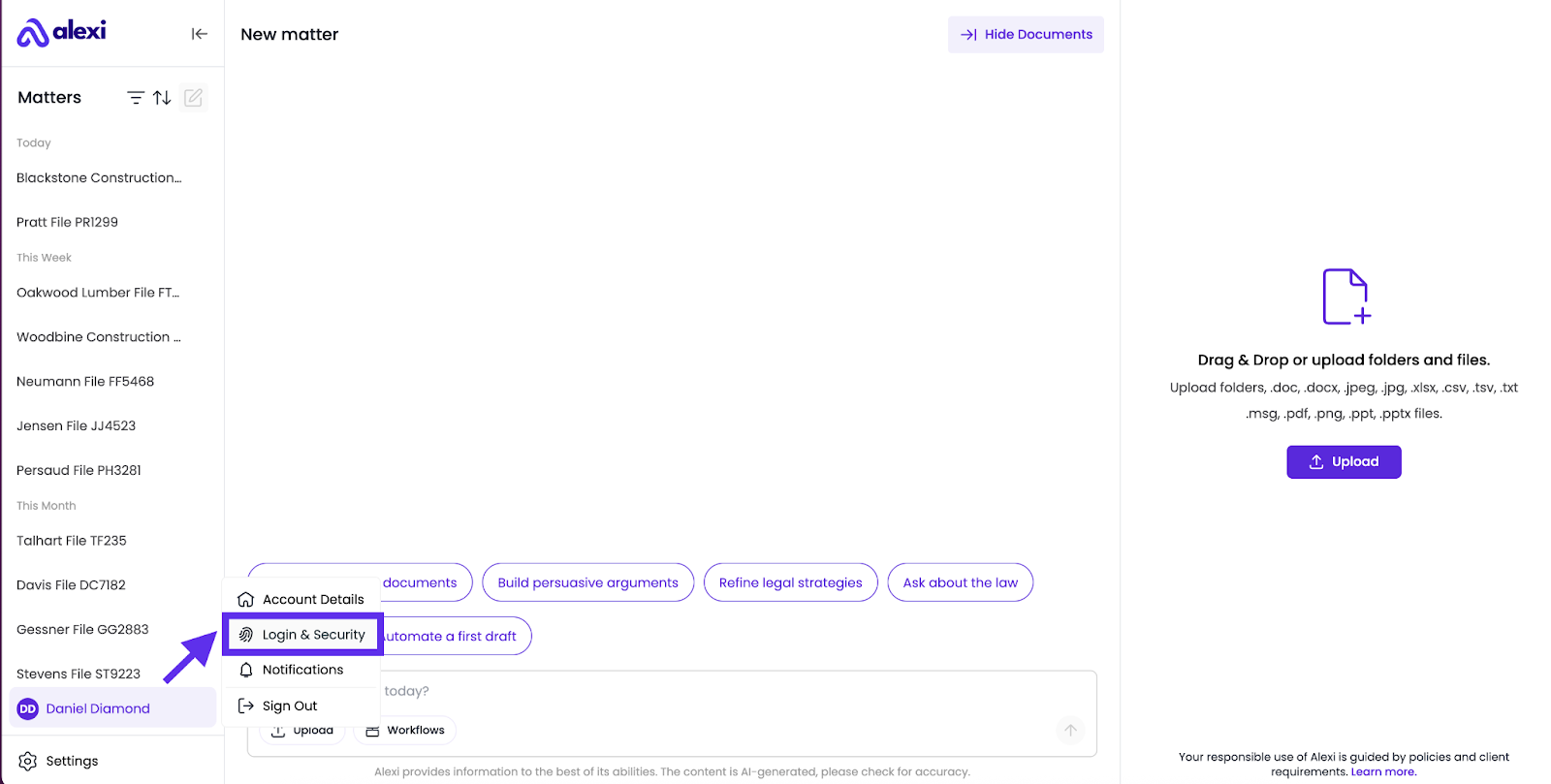
Click on your name at the bottom left side of the screen.
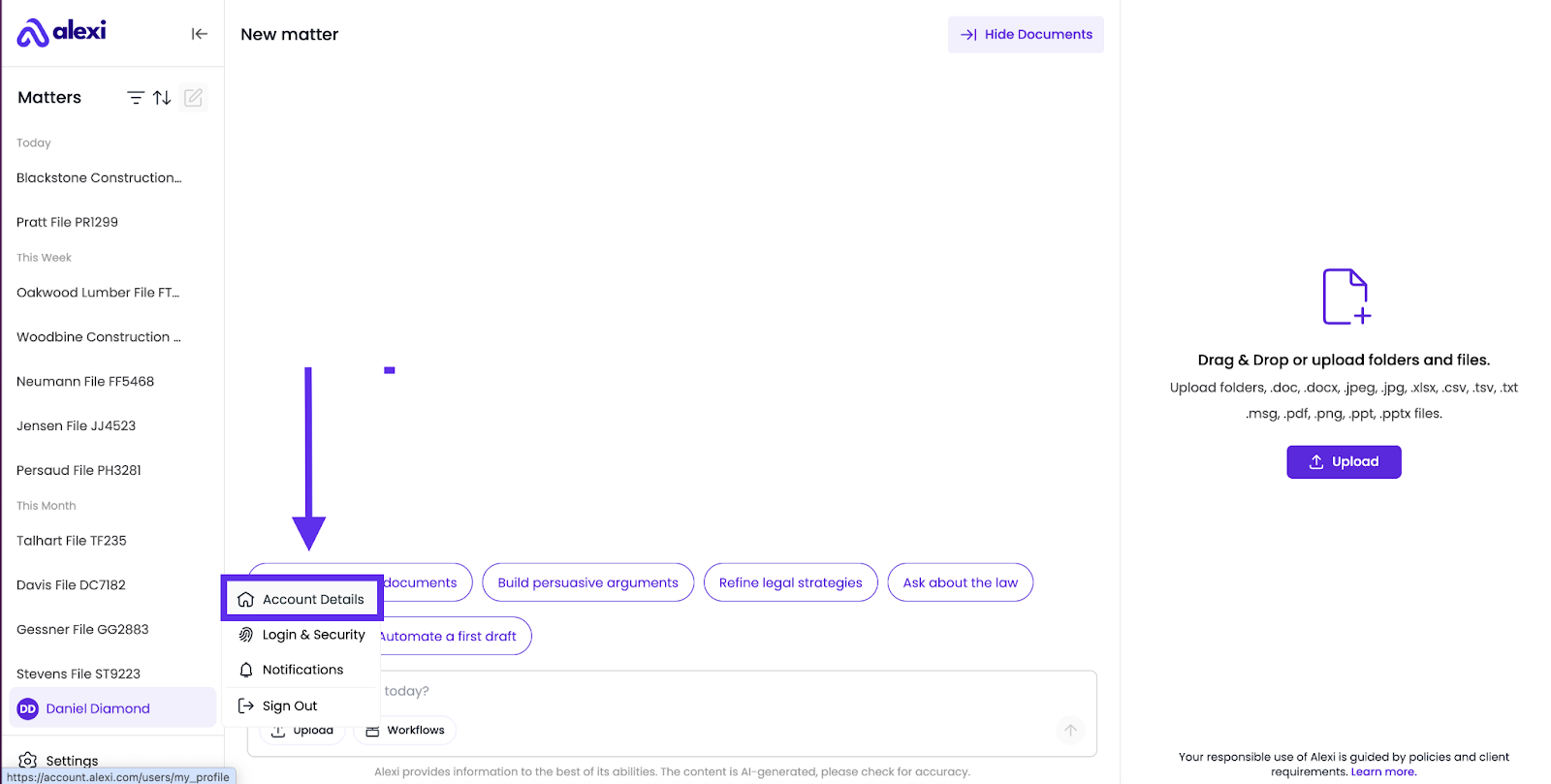
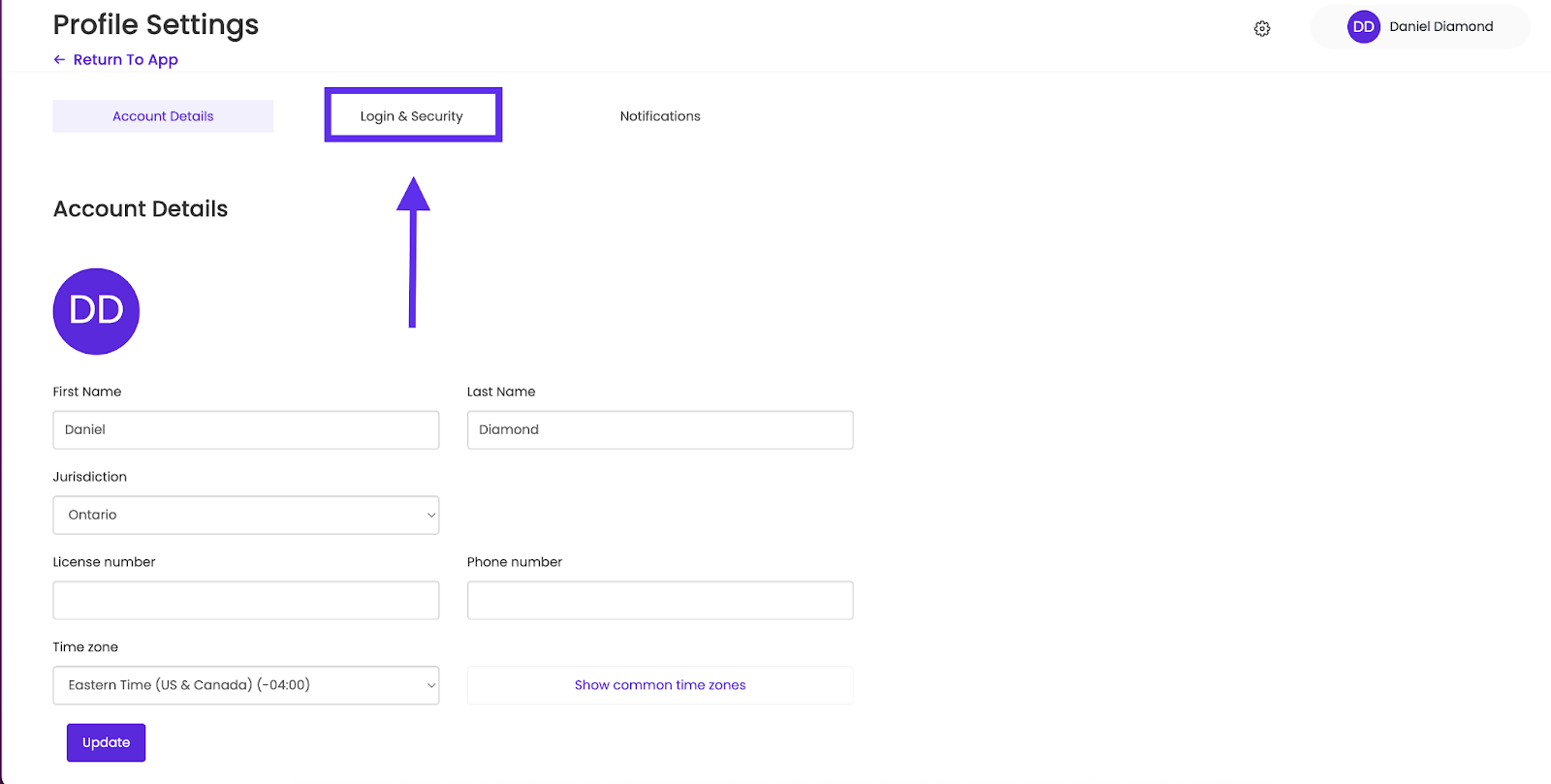
To View and Edit your Account Details (such as name and default jurisdiction), click Account Details
Within the Account Details page, you can view or edit your name, default jurisdiction or time zone.
To access your Login and Security Details (such as your email, password and login method), you have 2 options:
1. From the main application page, click on your name, then on “Login & Security”
2. From the Account Details screen, click on the Login & Security button at the top of the page:
Login and Secrity options
Within the Login and Security page, you will see multiple options:
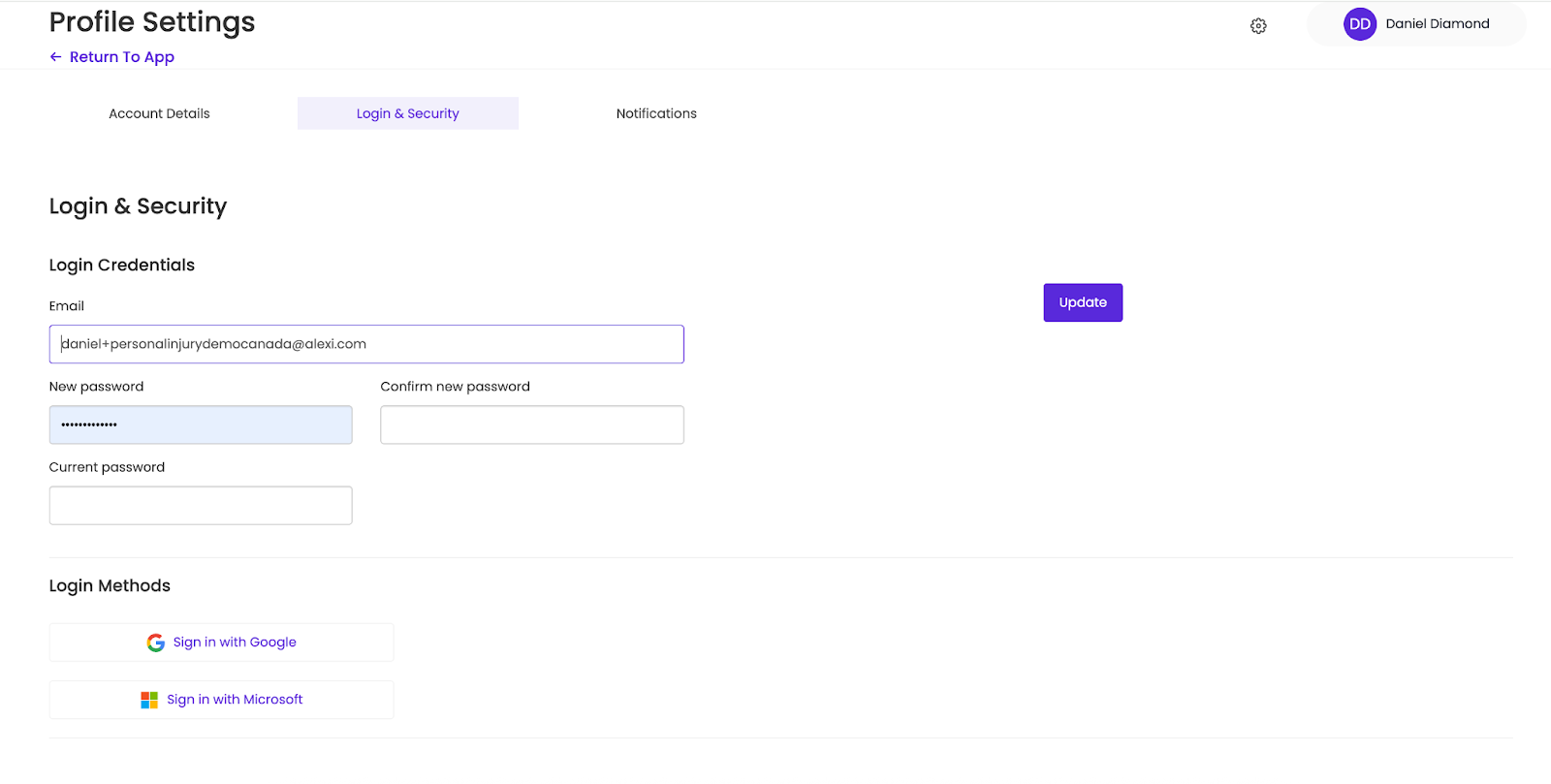
Some of your options include:
- Edit the email address associated with your account
- Change your password
- Change your login method
After making any changes, ensure that you click “Update” on the right side of your screen.
What are “Login Methods”?
Alexi offers 3 ways to log into your account:
- Using your email address and a password
- Using Google Single-Sign-On (SSO)
- Using Microsoft Single-Sign-On (SS)
Choose the most convenient method that works for you.