01
get started
03
Staying Organized
05
Settings & Admin
Getting Started
Welcome to the Alexi “Getting Started” Guide, which will introduce you to the platform, showing you how to get up and running quickly and easily.
Here a short video showing you how to get started.
Signing in
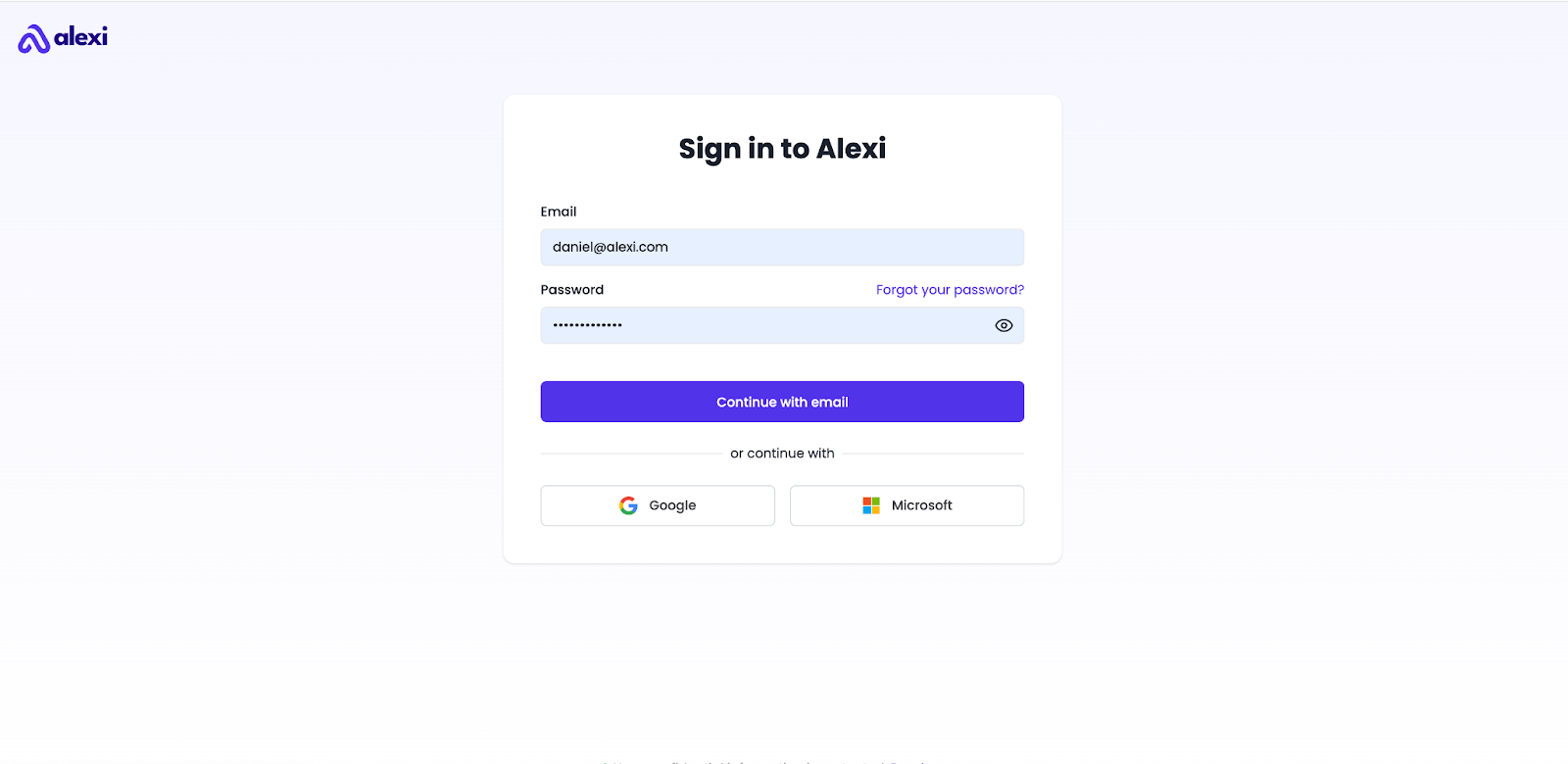
- Head to account.alexi.com.
- Enter your credentials, and click “Continue with email” to log in.
- Alternatively, if you initially used Google or Microsoft Single Sign-On (SSO) to create your account, you can use those options to log in again.
Alexi Interface - Overview
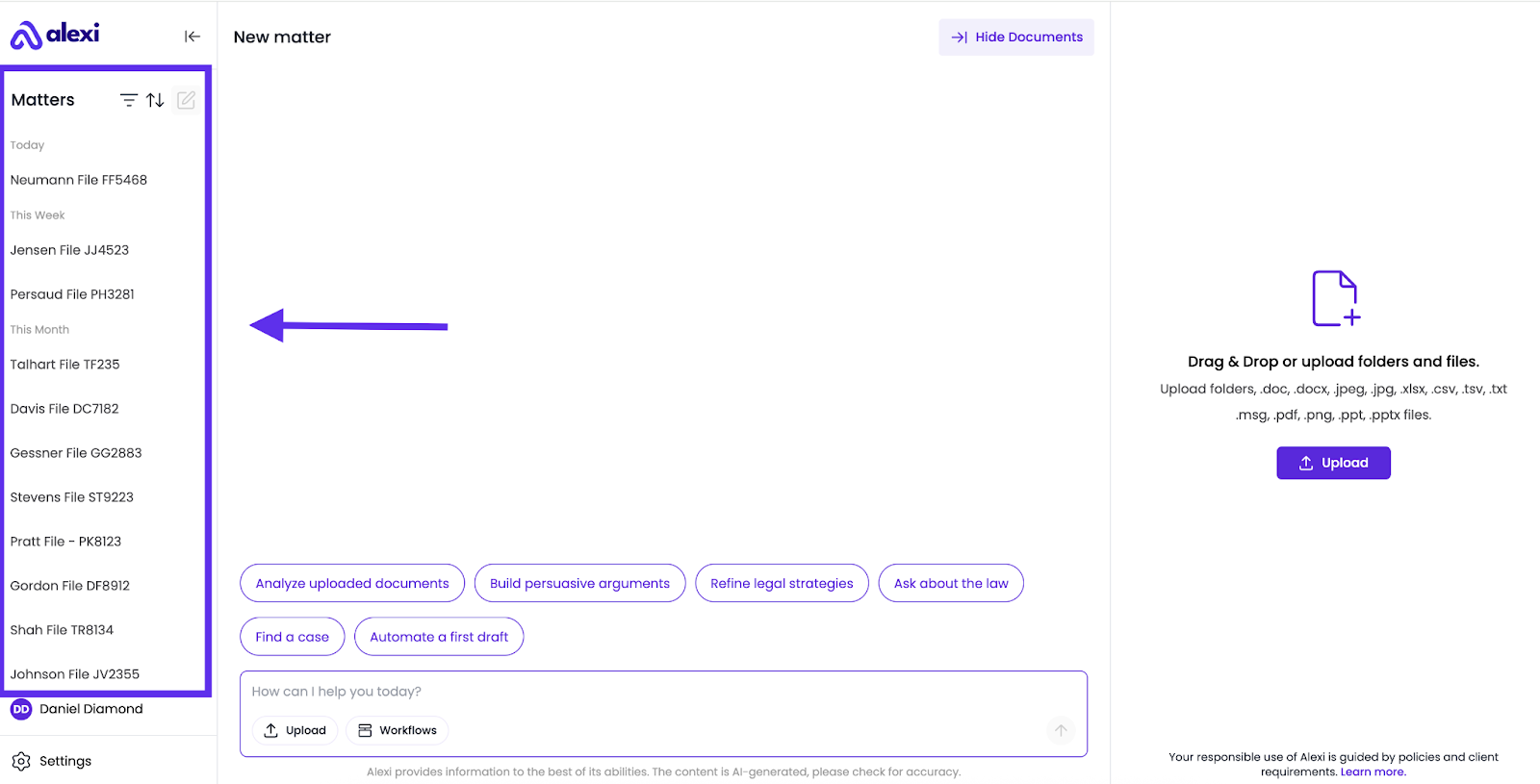
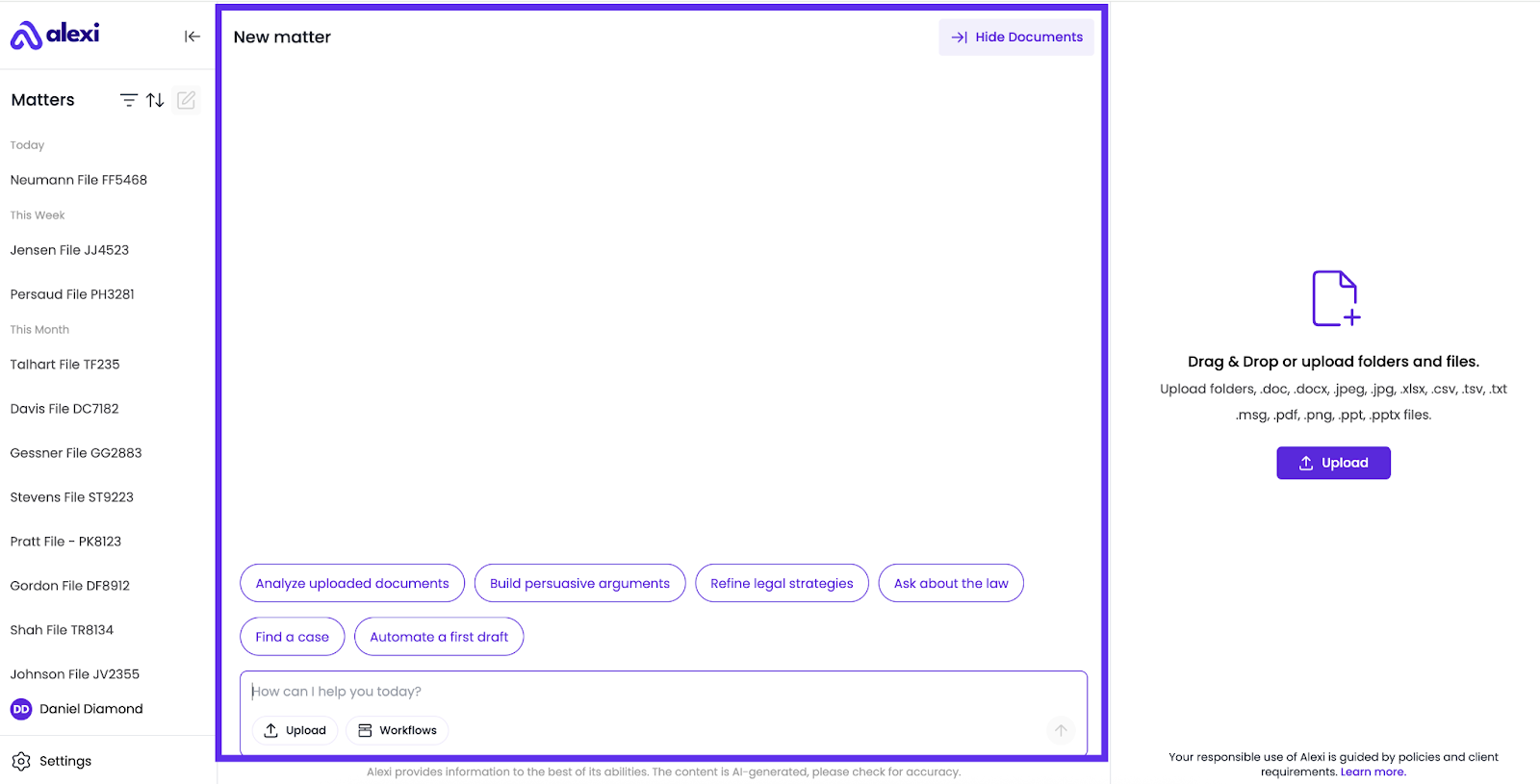
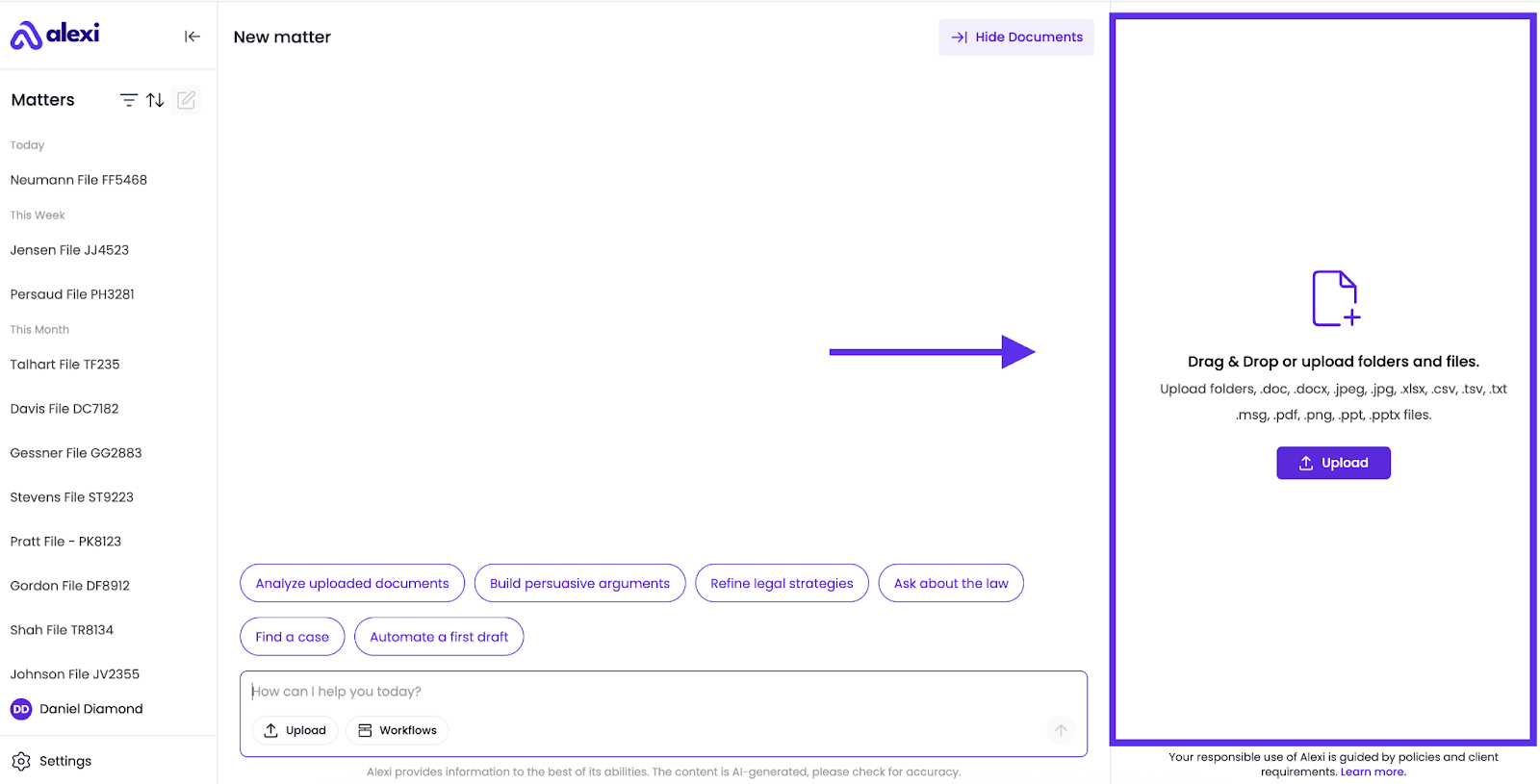
Here are the key interface sections within the application:
- Matters Panel: Your central hub for staying organized, and managing your matters. Here, you can create new matters to organize your conversations and easily find old conversations if you want to revisit them.
- Chat Area: This is your primary interaction space with Alexi. You can ask questions, submit requests, and review answers. Your chat history is stored within each matter.
- Documents Panel: This panel stores all folders and files associated with a matter. You can upload your documents and save content generated by Alexi here.
Account Details
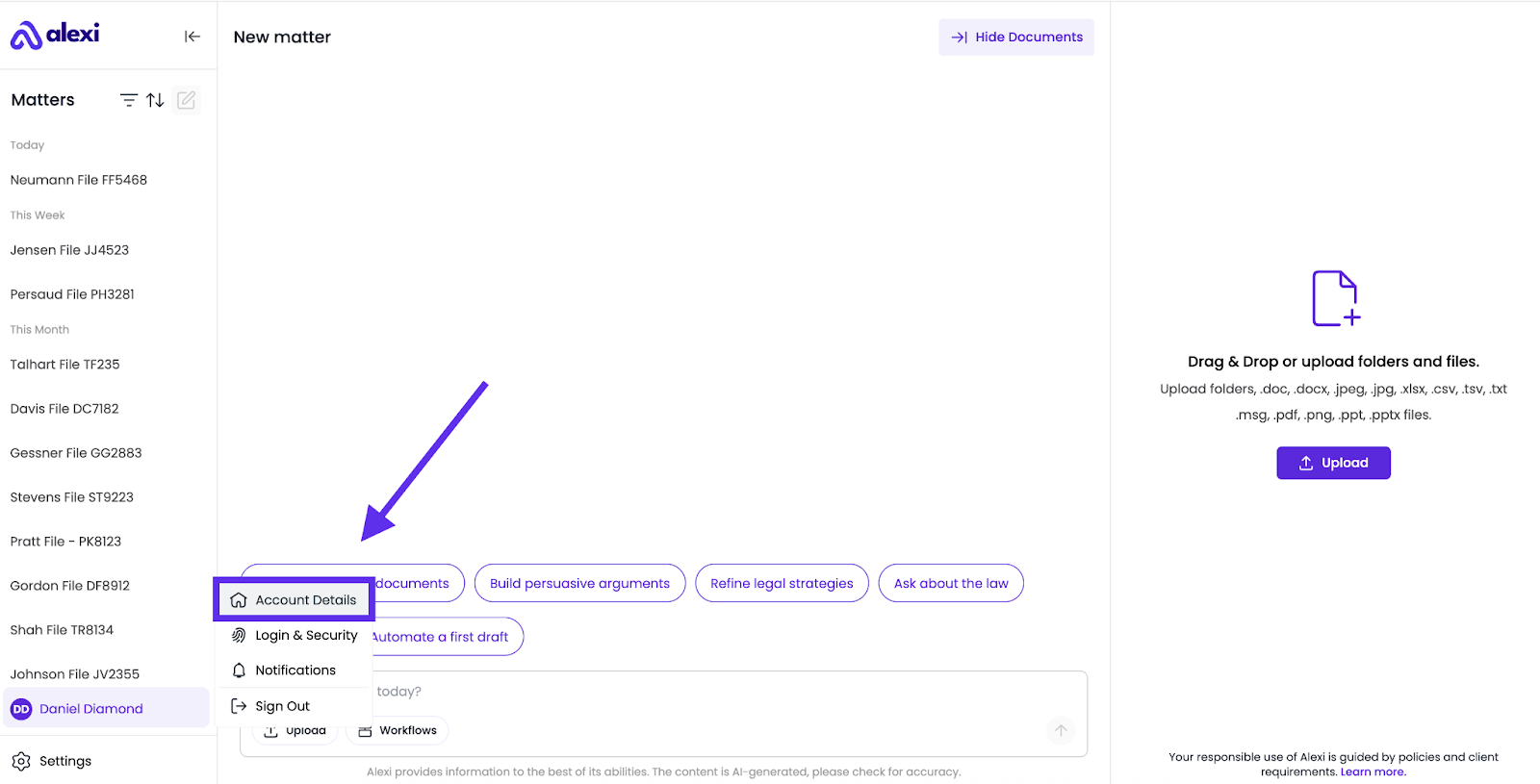
To access your account details, click on your name in the bottom left corner and then select "Account Details."
On the "Account Details" page, you can modify your profile settings, including your name, default jurisdiction, language, and time zone.
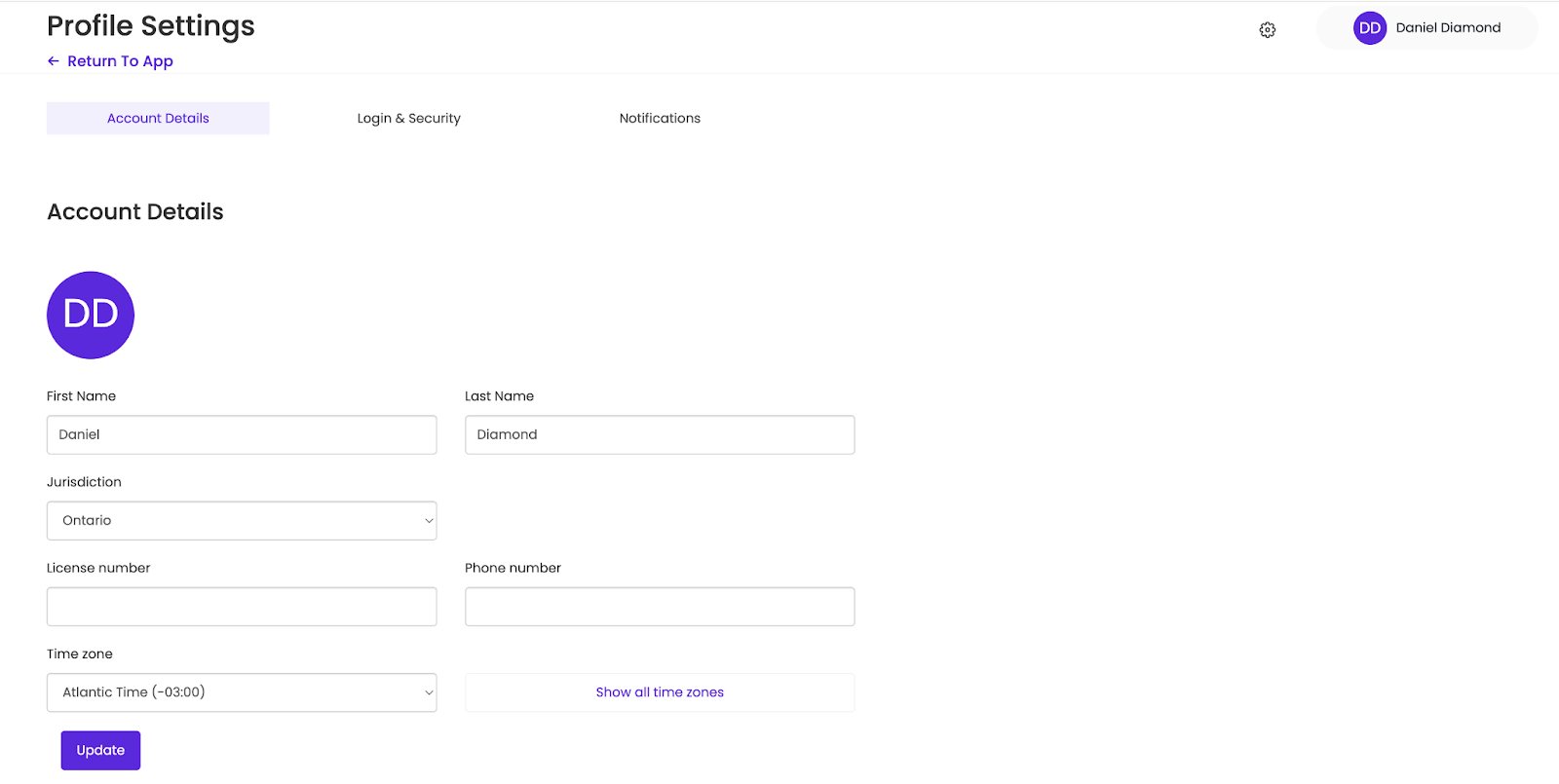
Remember to click "Update" to save any changes.