01
get started
03
Staying Organized
05
Settings & Admin
Downloading a complete matter
If you want to download an entire conversation within Alexi, including the full sequence of questions and answers within a Matter, simply follow these 3 easy steps:
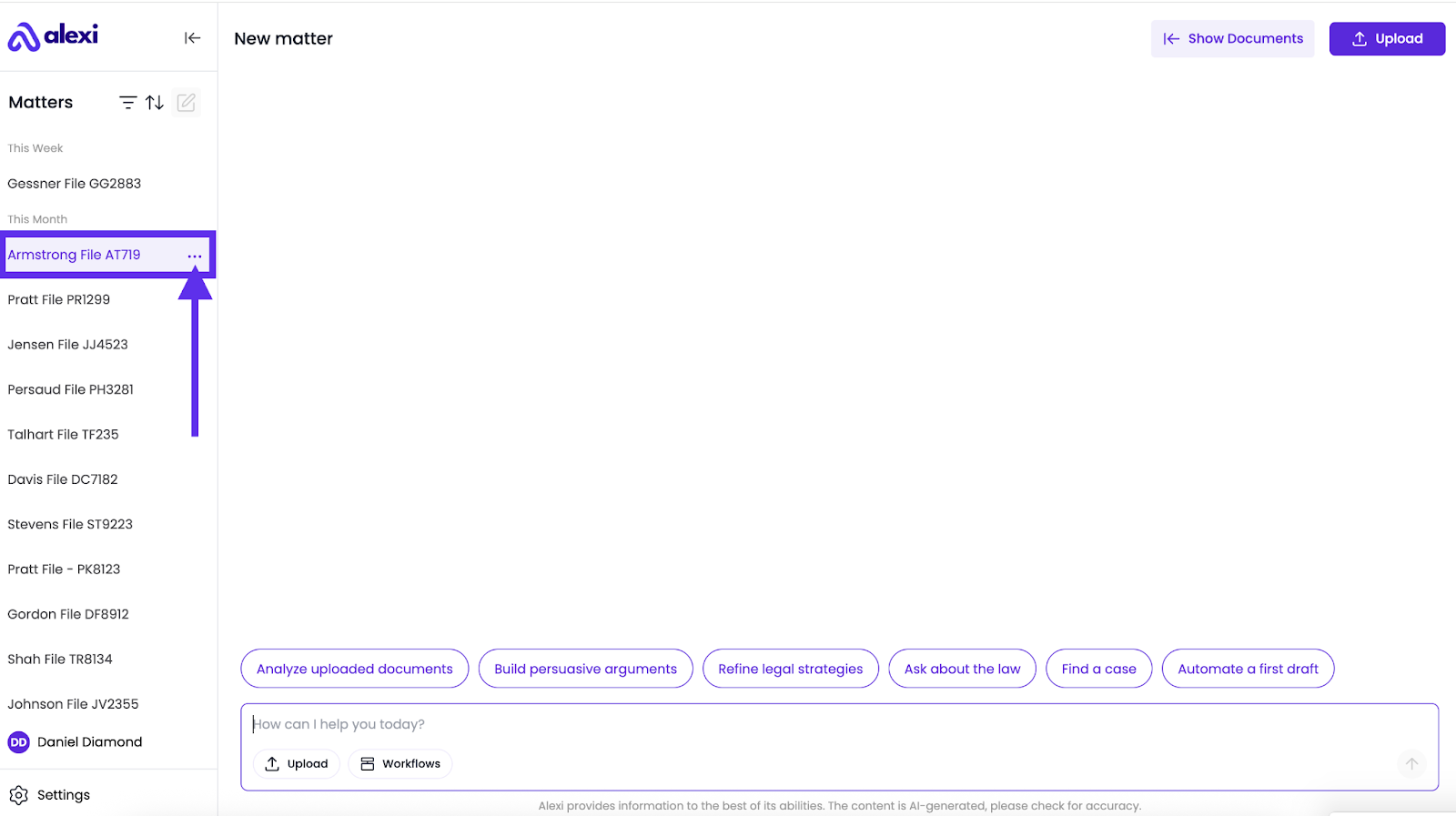
1. Head over to the left-hand panel, and click the 3 dots next to the matter name.
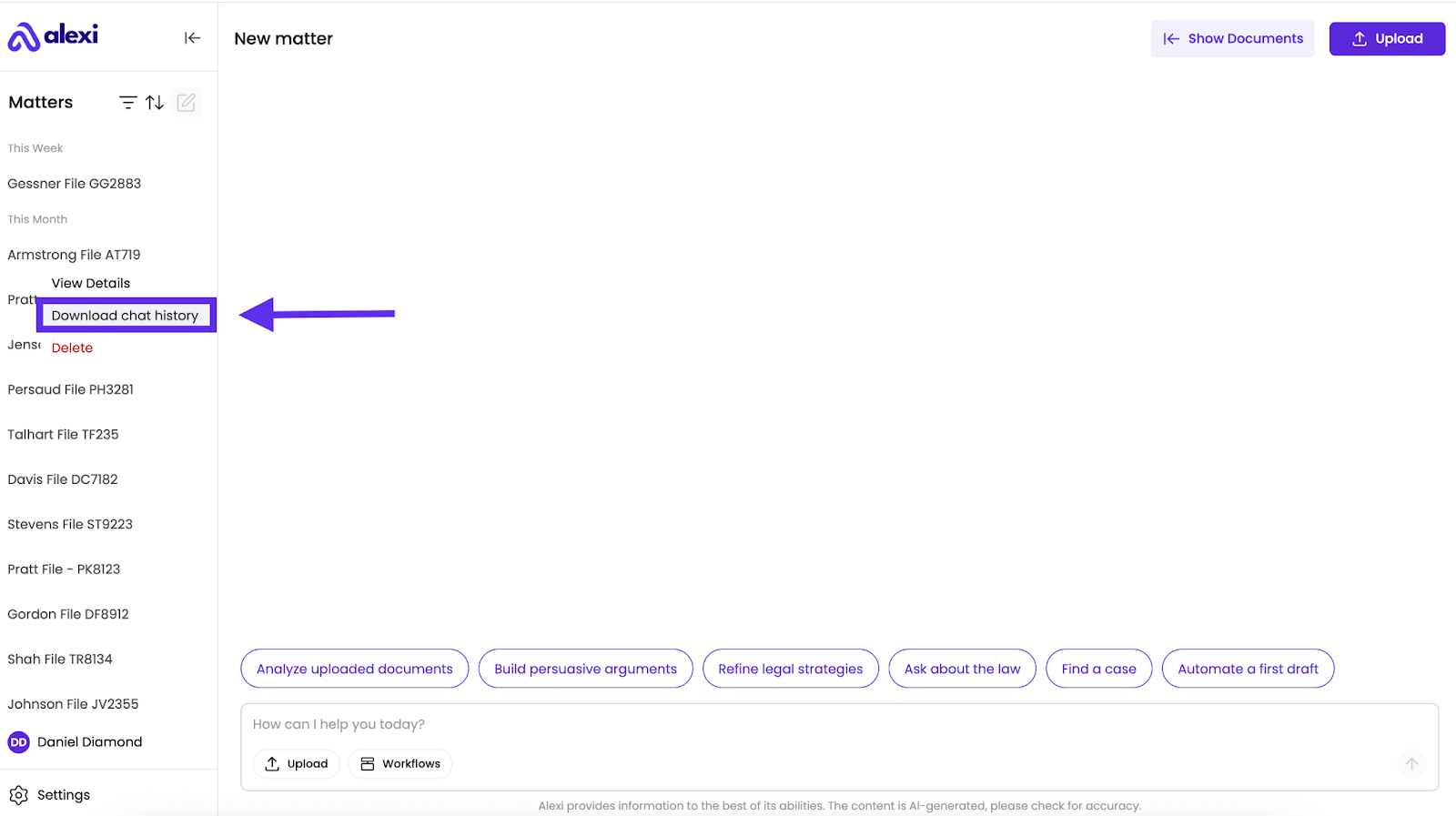
2. Click “Download Chat History” and it will download the entire conversation in PDF format.
3. The entire conversation will now be downloaded to your browser as a PDF.