01
03
05
Edit Matter Details
Keep matter details current to ensure team alignment and prevent confusion across multiple matters. Consider matter details as an always up-to-date "cover page."
Here’s a short video showing you how to edit your matter details.
To edit matter details:
You can update matter details in two areas:
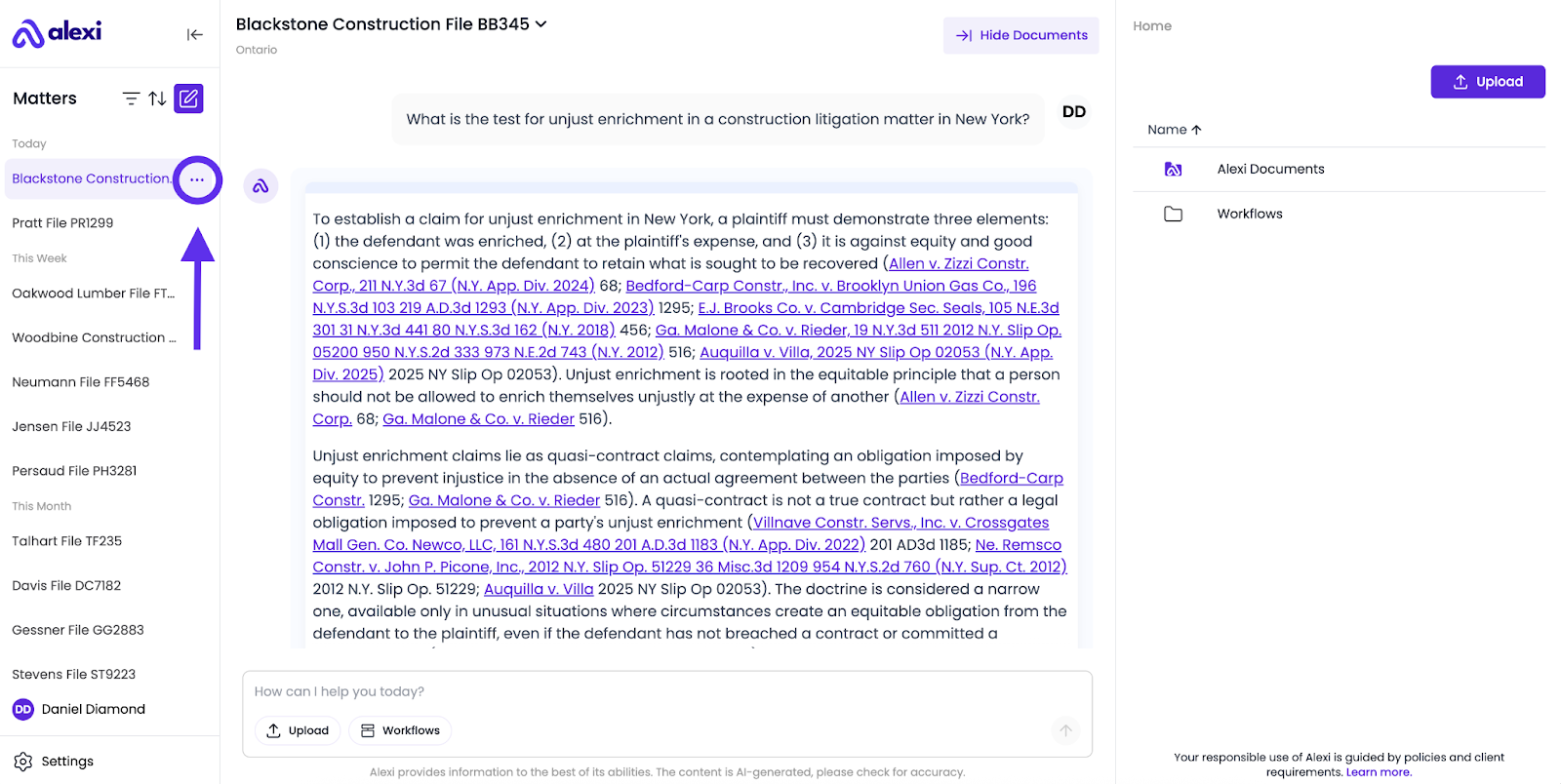
Area 1 – Left Navigation
- Choose the matter you’d like to edit details for from the left navigation panel.
- Click the three-dot (…) icon beside the matter name.
Area 2 – Chat Section
- Go to the chat window.
- Click the downward arrow (∨) beside the matter title at the top.

Matter Details
Once the “Matter Details” window opens, there are several aspects of a Matter that you can edit.
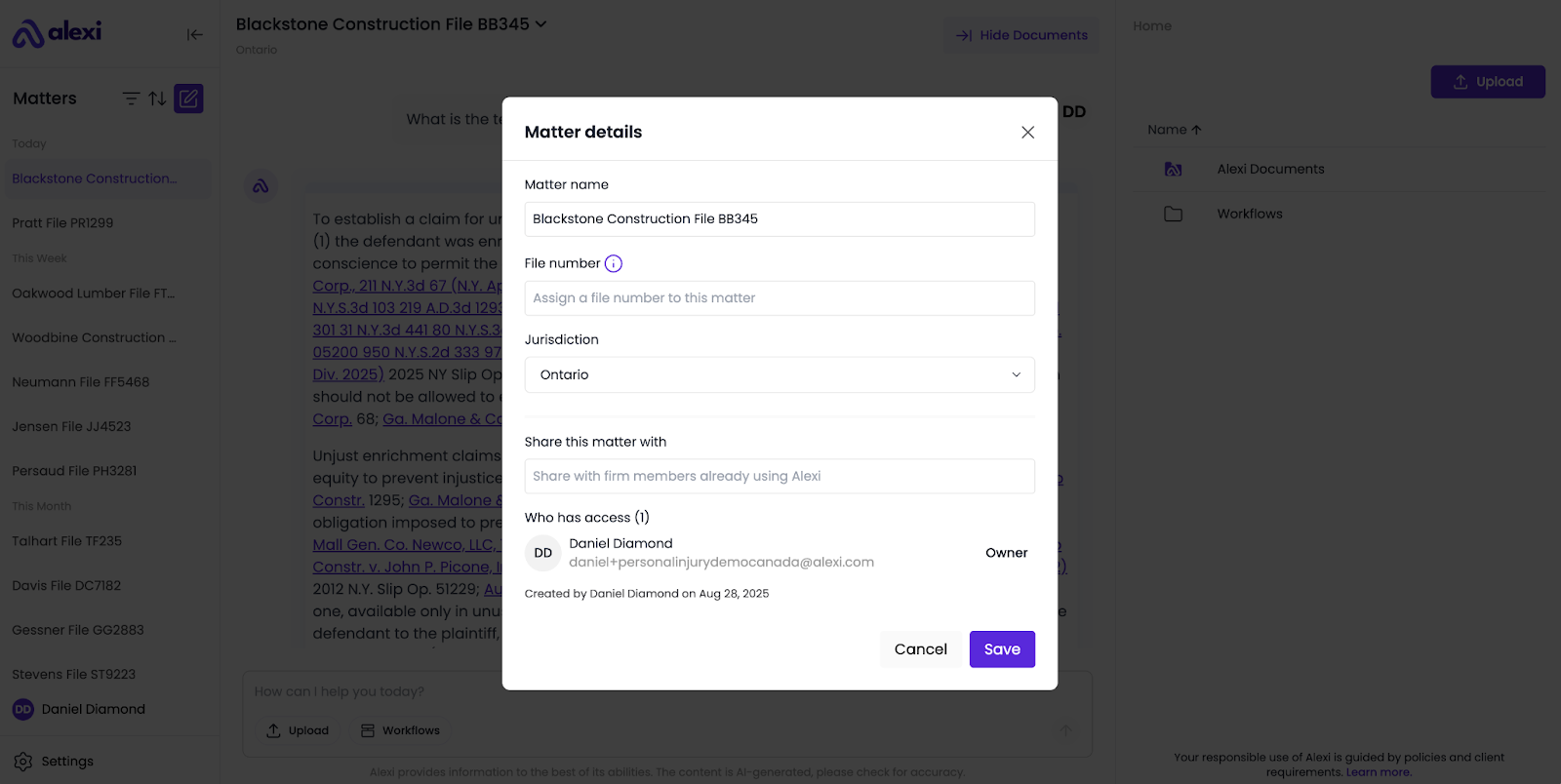
What you can edit:
- Matter name – Update it to reflect the correct matter or client.
- File Number – Associate a client and file number with the matter for organizational purposes.
- Jurisdiction – Set or adjust the governing jurisdiction so answers are tailored appropriately.
- Example: Switch from “Canada (federal)” → “Ontario.”
- Share this matter - you can tag someone else on your team to share the documents within your matter (both your documents, and those generated by Alexi).
After making changes, click Save to confirm updates.
How to share a matter:
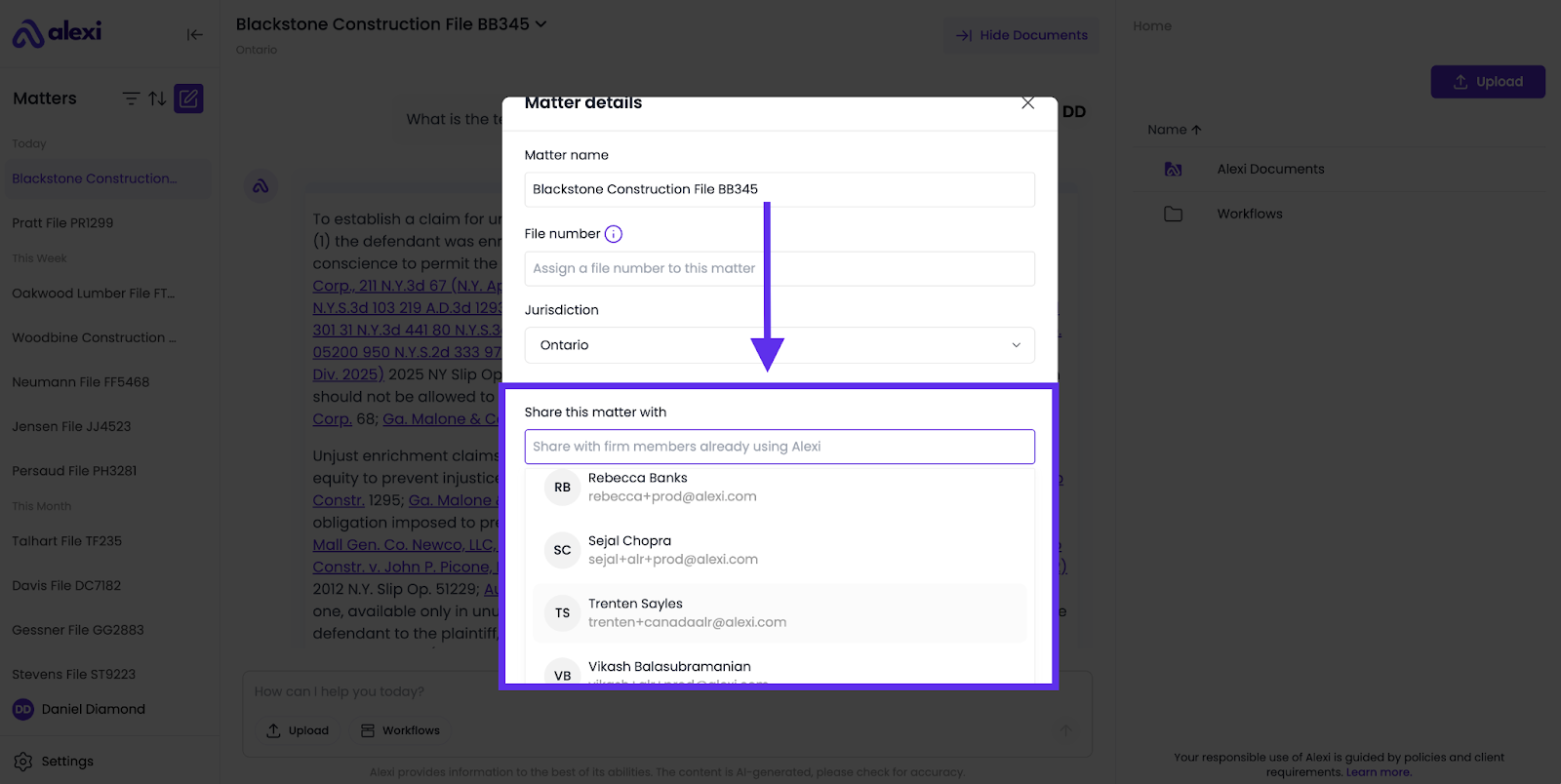
To share a matter with a colleague:
- Use the search box to find their name.
- Once you've located them, click on their entry.
- Finally, click "save" to confirm the sharing action.
Please note that sharing a matter includes all associated documents, but the chat thread will not be shared.
Why keep matter details updated?
- Clarity: You can instantly view what matter you’re working on.
- Accurate outputs: Jurisdiction and notes guide Alexi to produce more relevant answers.
- Organized records: Proper names make it easy to find past matters later.
FAQ
Why does it matter if I rename matters?
Renaming matters ensures you can quickly distinguish between matters. “Matter Temp” might make sense today, but in six months you won’t remember which case it was for.
Who can edit matter details?
Any matter owner or team member with the right permissions can update details.
Can I change the jurisdiction later if needed?
Yes. Jurisdictions can be updated at any time in matter details. Updating ensures Alexi keeps answers consistent with the correct legal framework.
What happens if I forget to save?
Changes won’t apply unless you click Save. Always confirm your edits before leaving the screen.
Is it possible to unshare content after it has been shared?
To remove a colleague from a matter, navigate to the matter details dialog. Click "remove" next to the colleague's name, and the matter will no longer appear on their Alexi matter list.
How do I share a chat thread with a colleague?
To share a chat thread, you must first save it to the documents folder. The new file will then be visible in the documents for all colleagues who have access to the shared matter; sharing a matter does not automatically share the associated chat thread.