01
03
05
Create a New Matter
Matters are a great way to keep organized, and you can think of each matter as a separate client file, a separate project or a separate stream of consciousness for particular a legal issue.
This keeps your entire chat history, along with all uploaded files, drafted clauses, and research in one place for easy organization and matter switching.
Here’s a short video on the topic.
All of your previous matters will stay on the left side of the screen, allowing you to revisit a matter whenever you need to.
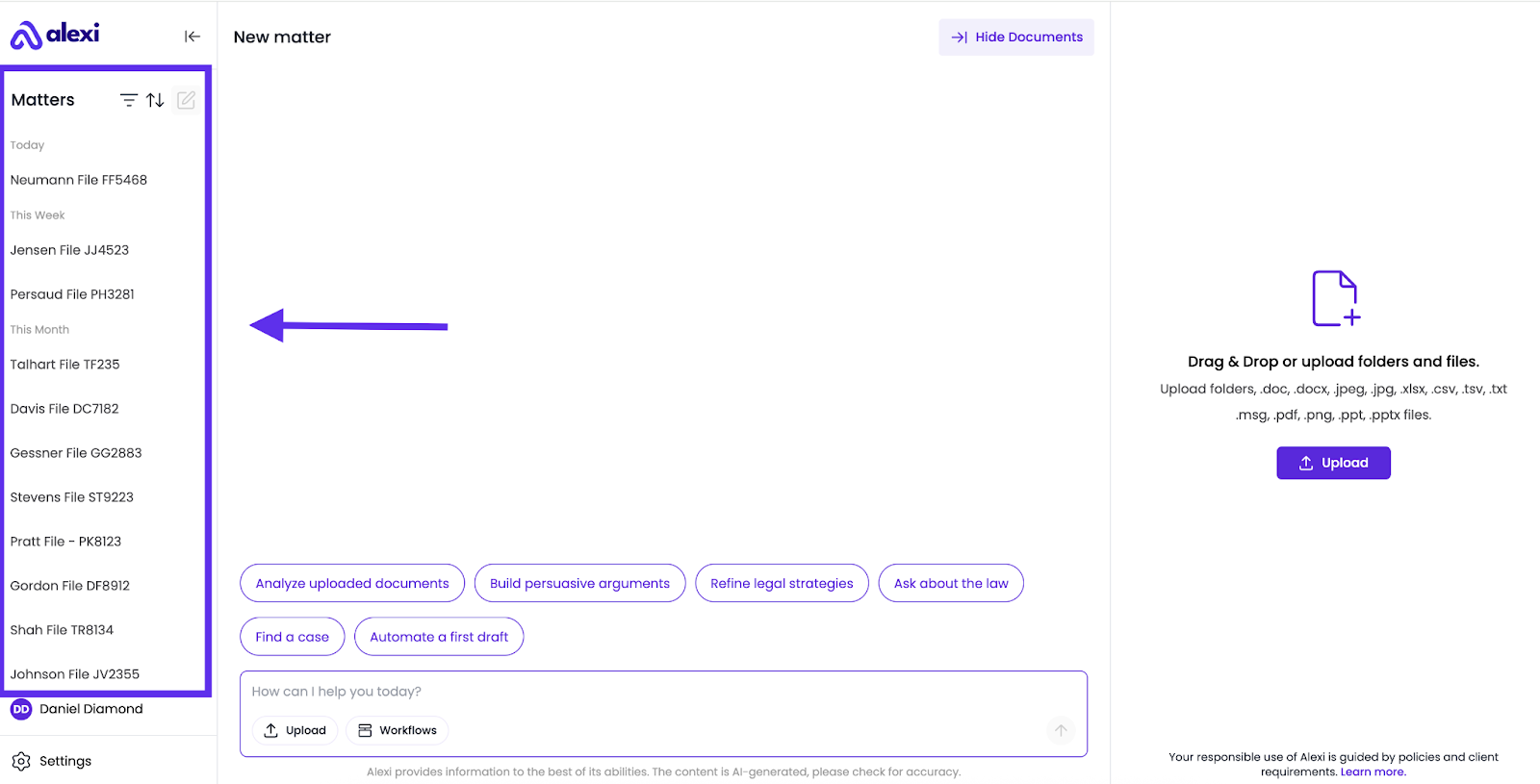
To Create a New Matter:
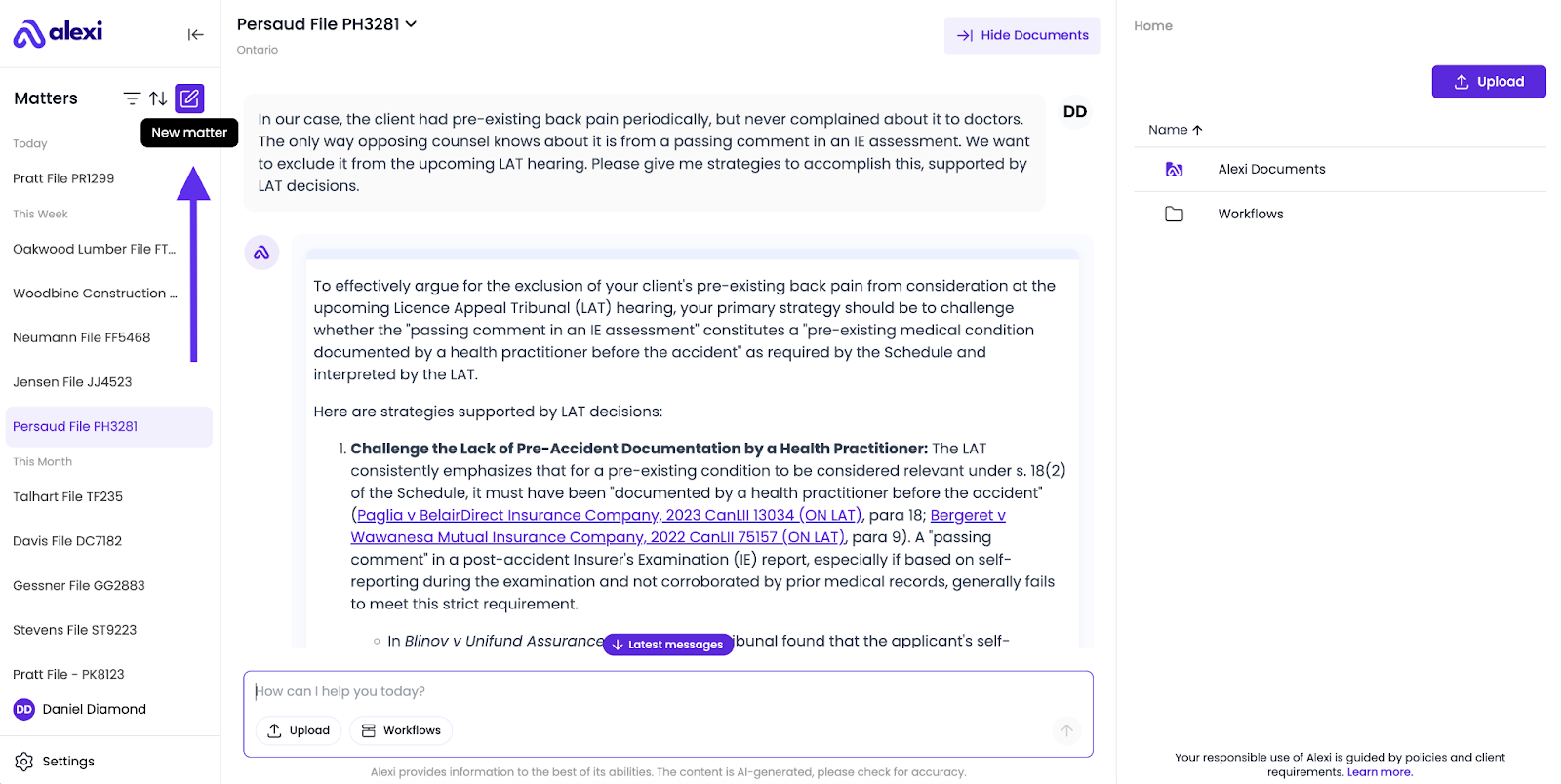
1. Navigate to the left panel, and click the purple icon to start creating your matter.
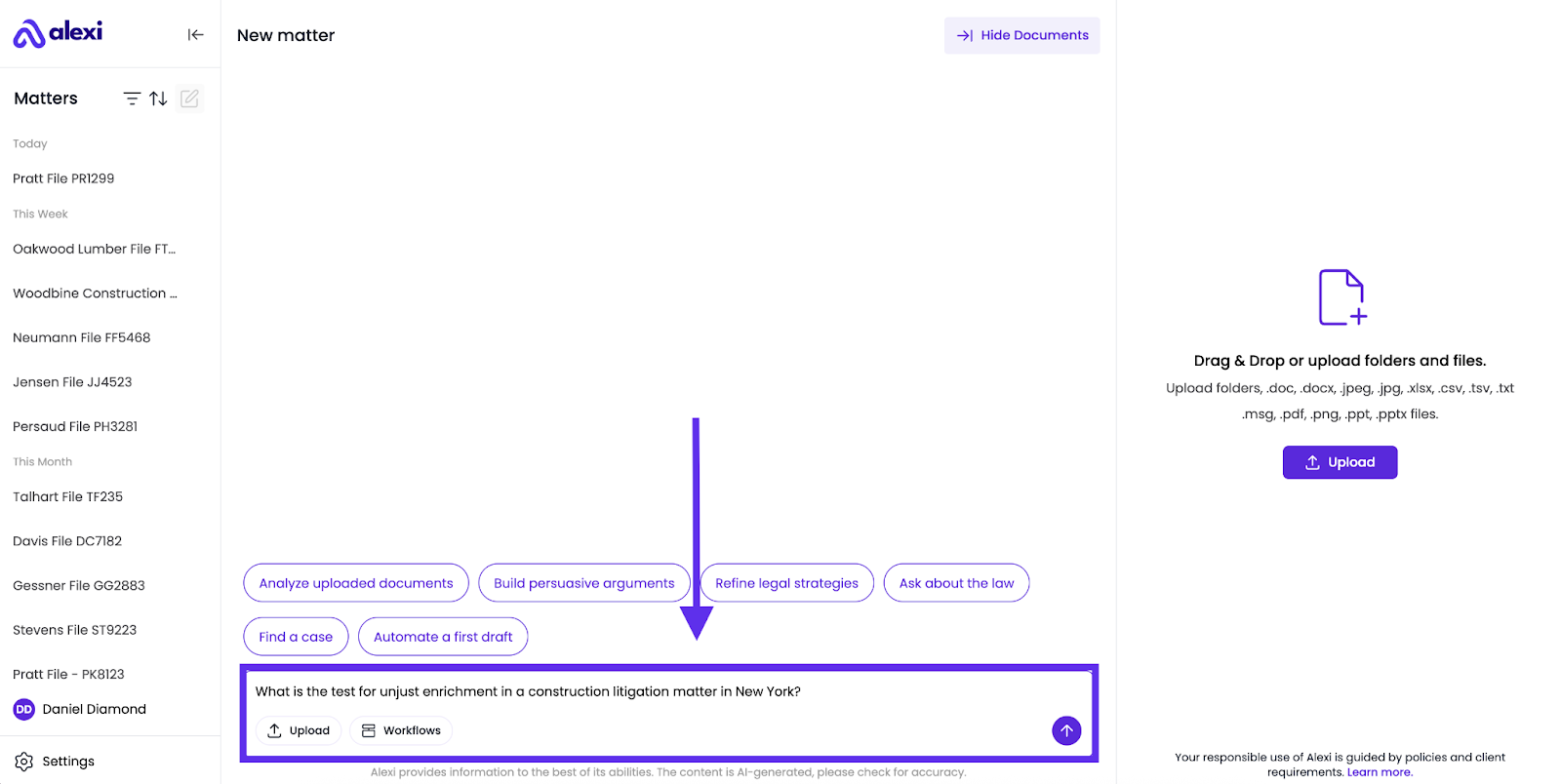
2. Enter your first query into the chat box within your new Matter.
3. Alexi will populate your new Matter on the left side, and will assign it a name relevant to the topic of your first query.
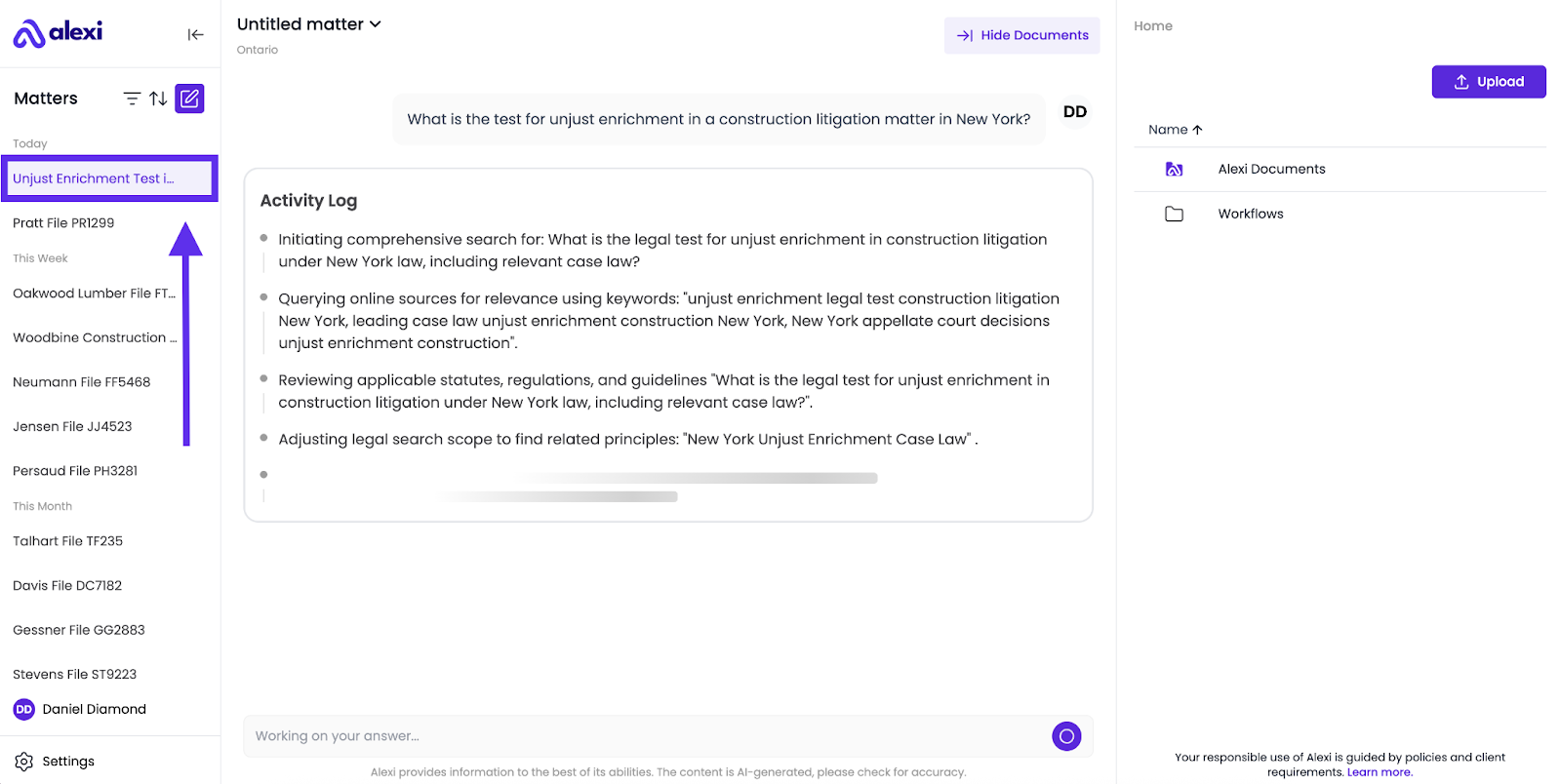
4. To rename your matter, click on the title of the matter at the very top of the page, and assign it a new name.
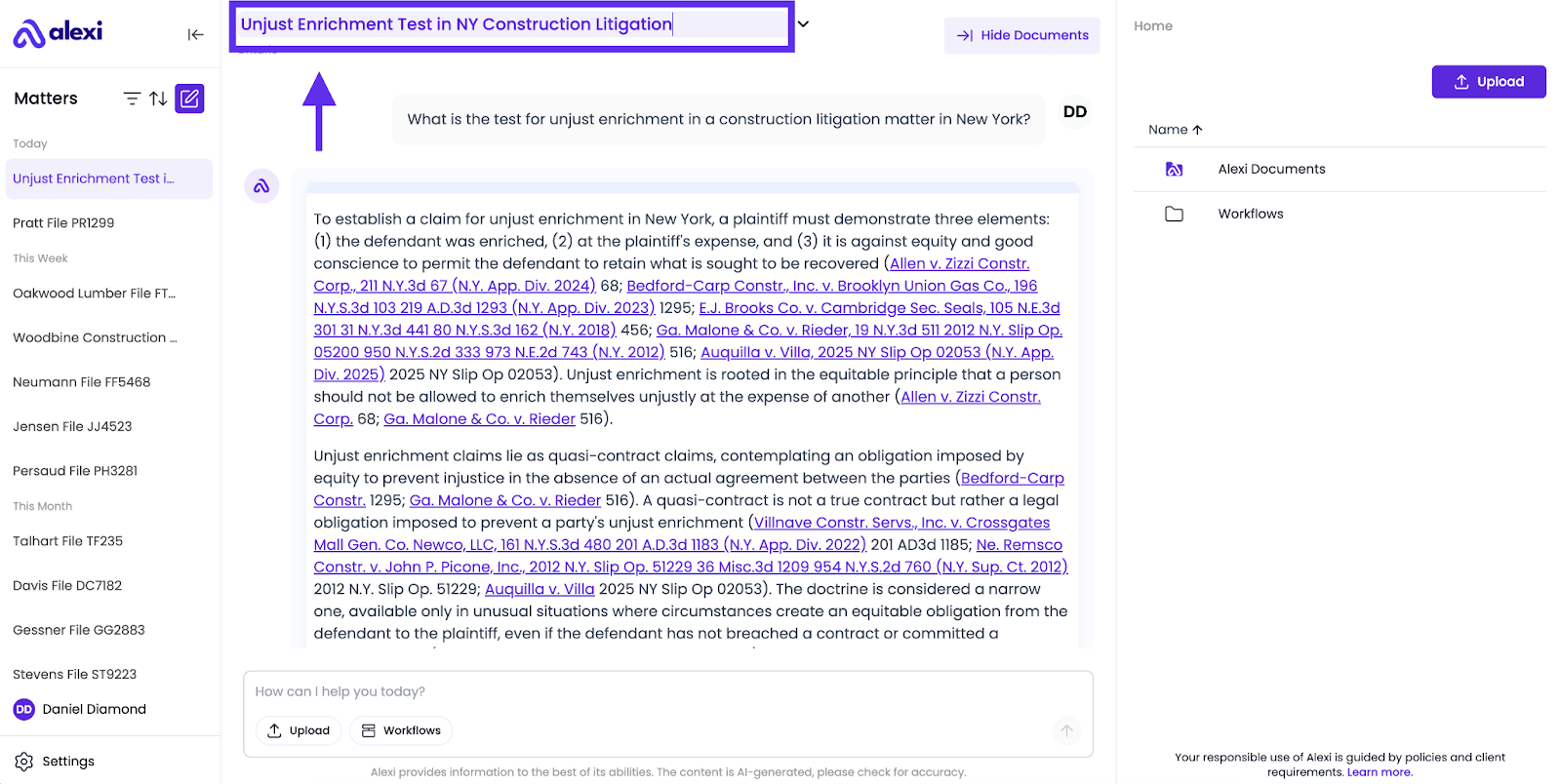
Why Matters Are Essential
- Stay organized: All related files, answers, and drafts live in one place.
- Collaborate consistently: Working across multiple matters? Matters in Alexi prevent mix-ups and keep everything aligned.
- Build a knowledge hub: Over time, your matter becomes a repository of legal insights and drafts tied to a particular client or file.
FAQ
How should I decide when to create a new matter?
Create a new matter whenever you begin work on a distinct matter, client engagement, internal matter, or research topic. For example:
- A litigation file → “ABC Corp. v. Smith – Discovery”
- A corporate deal → “ACME Corp. Acquisition - Due Diligence – Q2 2025.”
- A compliance review → “Privacy Policy Updates – Canada.”
Can I move documents or answers between matters?
Currently, no. Each matter is designed as its own container. If you need the same document in two places, upload it into both matters.
What happens if I don’t rename my matter?
Your matter will initially be named "Untitled matter." However, Alexi will automatically generate a more descriptive name based on the topic of your initial conversation, replacing the generic title for better clarity, especially if you manage multiple clients.
How many matters can I have?
Create as many matters as you need. One for each matter, client, or research topic.