01
03
05
Activity Log
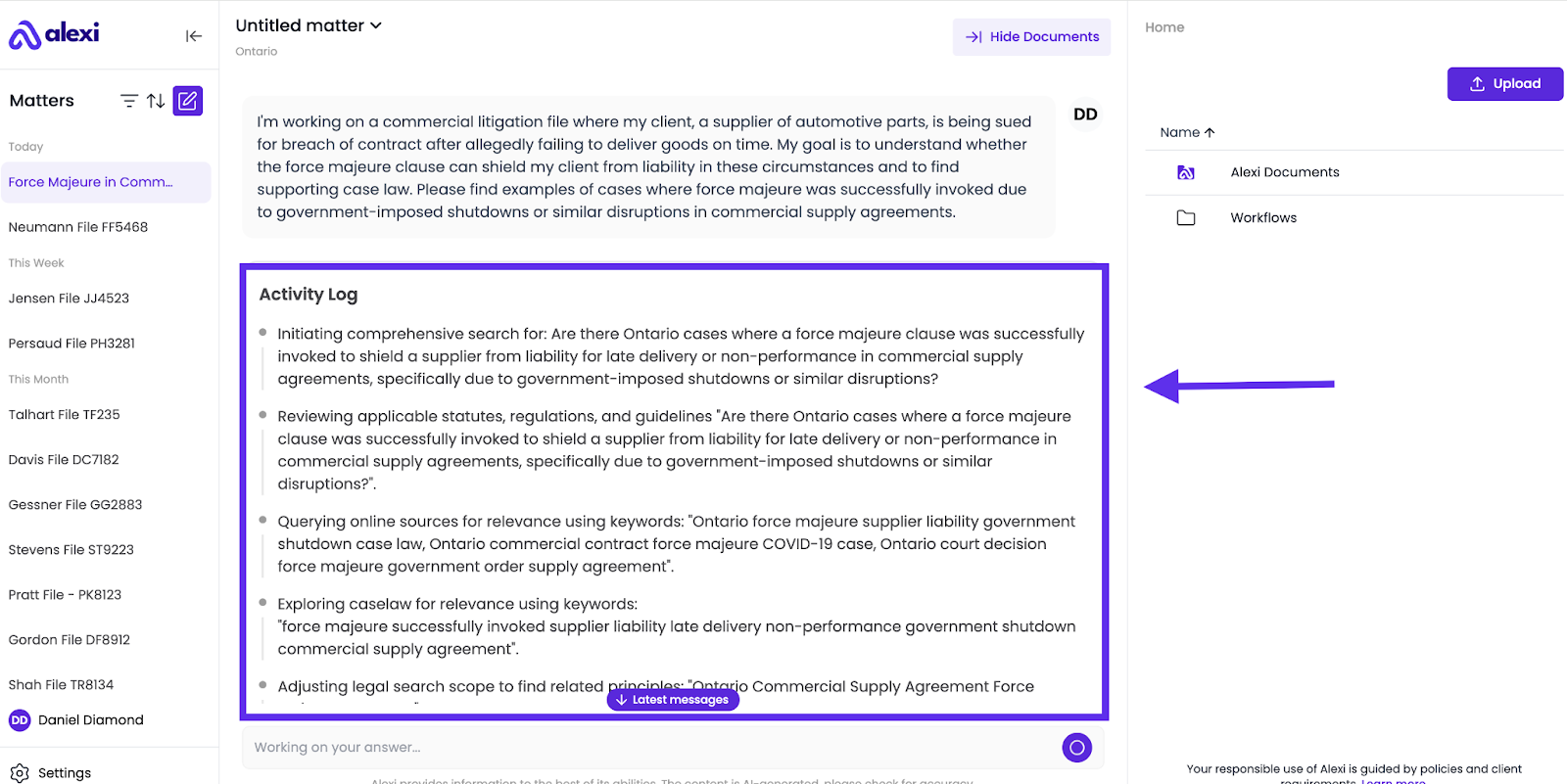
The Activity Log offers visibility into how Alexi arrives at its answer. We give you a peek “under the hood” into Alexi’s process for answering questions - including its analysis, evaluation of the authoritativeness and relevance of sources, and synthesis of answers. This allows you to understand Alexi’s reasoning, verify accuracy, and trust its output.
There are 2 ways to view the Activity Log:
- View it Live - For most queries, Alexi will generate an Activity Log while the answer is pending, and you can view it directly beneath your question.
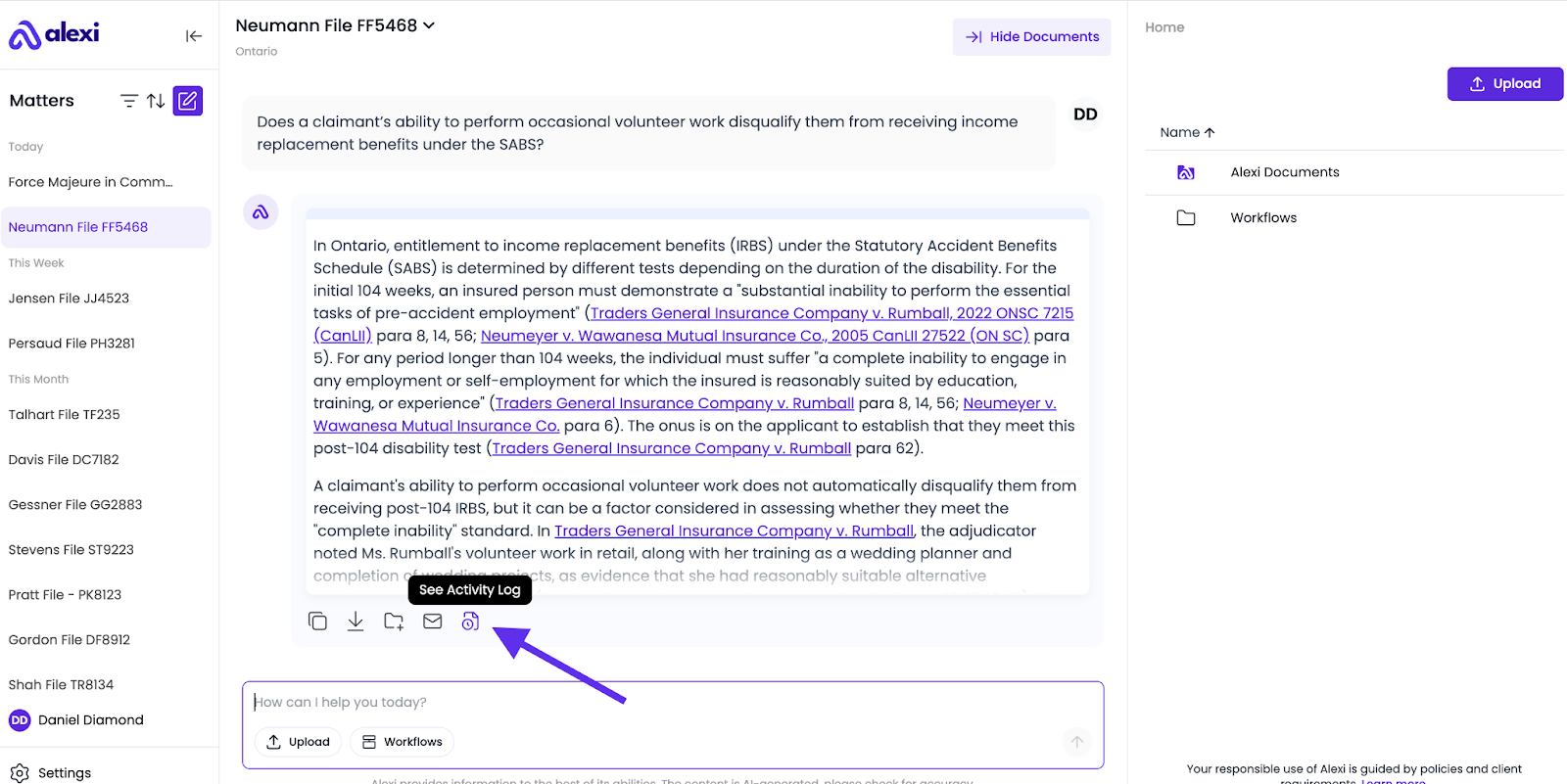
- View it After The Answer is Complete - Click “See Activity Log” below Alexi’s output. Alexi will open a window on the right side of the screen, where you can view the activity log.
Why this matters
- Transparency: Understand exactly how Alexi arrived at its conclusions.
- Accuracy: Verify that the AI referenced the correct documents and legal sources.
- Learning tool: See how AI interprets questions and structures responses, which can improve how you phrase your future queries.
- Audit trail: Provides a documented record of AI reasoning for client work, compliance, or internal review.
FAQ
Is the Activity Log available for all answers?
The Activity Log is available for all answers that involve either AI research, analysis, or synthesis. Simple factual questions that rely on general knowledge (e.g., "What's the capital of France?") will not have an Activity Log.
Can I use the Activity Log to cite sources?
Yes. It shows which documents, legal authorities, or authoritative web sources Alexi relied on, which you can reference in your work.
Can I export the Activity Log?
Yes. You can copy the log or save it to your matter for future reference.
How detailed is the AI reasoning?
Alexi provides a concise summary of steps, including document references, legal sources, and interpretation logic, giving enough context to understand its approach without an overwhelming amount of detail.